
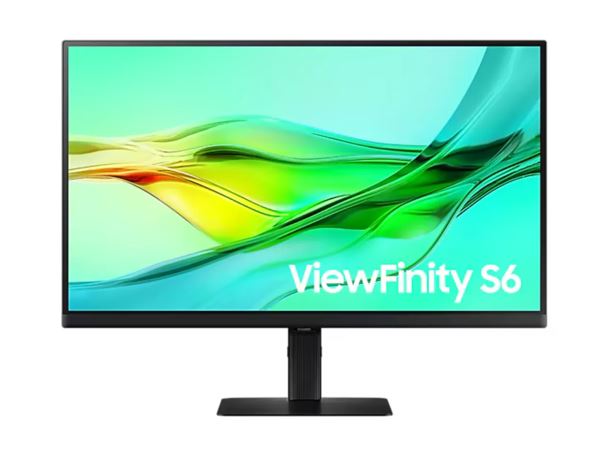
You've got three browser tabs, a spreadsheet, and a design file all open at once — and your screen can't fit them without squinting. The Samsung ViewFinity S60D gives you 2560x1440 QHD on a 24-inch IPS panel so everything actually fits. No more alt-tabbing every forty seconds.
USB-C is the headline here. Plug one cable into your laptop and you're wired up: display signal, power passthrough, and data. The built-in KVM switch means one keyboard and mouse can drive two machines — flip between your work PC and your home setup without swapping cables. Daisy-chain a second monitor off the same link if your desk allows.
350 cd/m² brightness, 99% sRGB coverage, HDR10 support, 100Hz refresh, 5ms response. Colours hold up at 178° viewing angles on both axes. Picture-in-Picture and Picture-by-Picture when you need to watch a tutorial next to your code.
The stand adjusts height, tilt, swivel, and pivot. VESA mount if you'd rather free up desk space. In stock and ready to dispatch
| brand | Samsung |
| model | ViewFinity S60D (LS24D600UEEXXY) |
| screen_size_inches | 24 |
| resolution | 2560 x 1440 (QHD) |
| aspect_ratio | 16:9 |
| panel_type | IPS |
| refresh_rate_hz | 100 |
| response_time_ms | 5 |
| brightness_typical_cd_m2 | 350 |
| brightness_min_cd_m2 | 280 |
| contrast_ratio_static | 1000:1 |
| viewing_angle_h_v_deg | 178/178 |
| color_support | 1.07 billion (10-bit) |
| srgb_coverage | 99% (Typ) |
| hdr | HDR10 |
| flicker_free | 1 |
| eye_saver_mode | 1 |
| picture_in_picture | 1 |
| picture_by_picture | 1 |
| kvm_switch | 1 |
| daisy_chain | 1 |
| adaptive_picture | 1 |
| windows_certification | Windows 11 |
| displayport_version | 1.4 |
| usb_c | 1 |
| height_adjustable | 1 |
| tilt | 1 |
| swivel | 1 |
| pivot | 1 |
| vesa_mount | 1 |
| active_display_size_mm | 526.848 x 296.352 |
| colour | Black |


