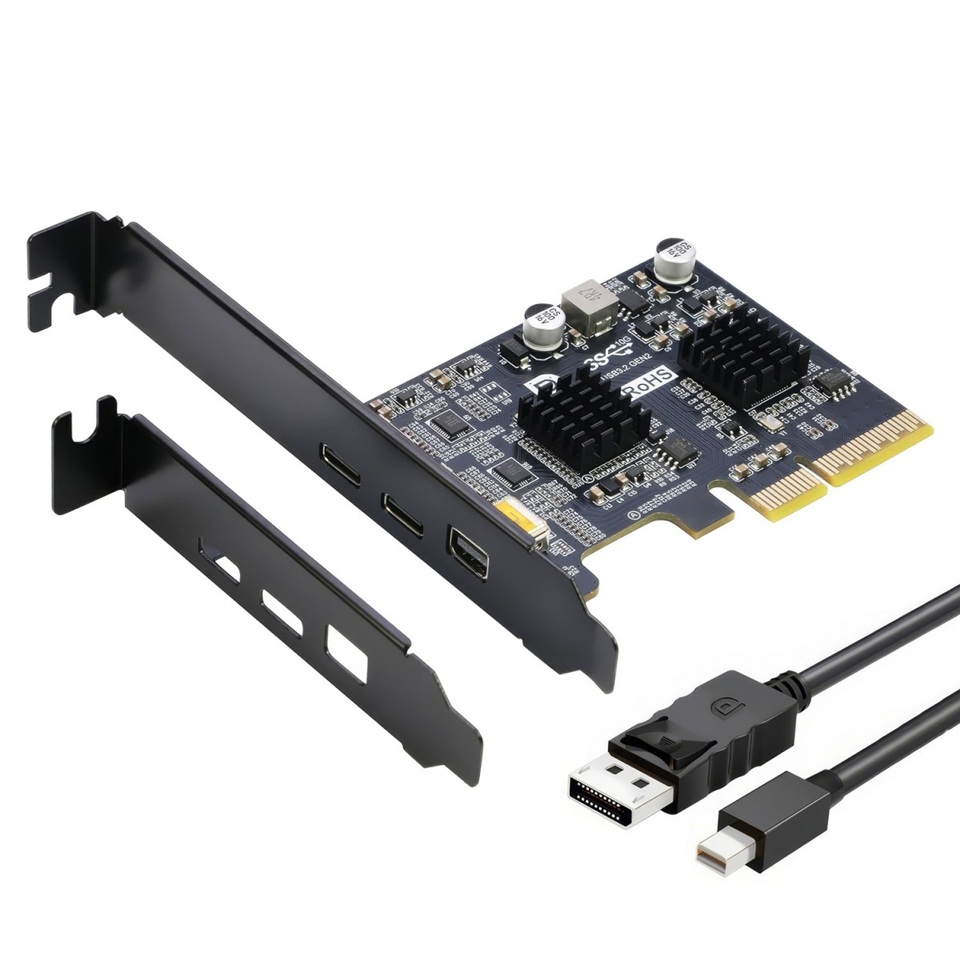
You've got a USB-C dock or monitor that needs video, and your desktop's only got a DisplayPort output on the back. The EC365 bridges that gap. Plug the included miniDP cable into your GPU or motherboard DP output, and the signal passes through to a USB-C port at 4K@60Hz. The second USB-C port handles data at 10Gbps. Both ports run at the same time. PCIe x4 slot (fits x8 or x16), powered from the slot, no external adapter. One thing to check first: if you're plugging into your motherboard's DP output, make sure your CPU has integrated graphics. This card is a passthrough — it doesn't carry its own graphics processor. Windows 10+ plug and play
| brand | SIMPLECOM |
| model | EC365 |
| pcie_interface | PCIe 3.0 x4 (compatible with x8 or x16) |
| usb_standard | USB 3.2 Gen 2, up to 10Gbps |
| ports | 1x USB-C (Data only), 1x USB-C (Data + Video via DP Alt Mode), 1x miniDP (Input) |
| video_input_resolution | Up to 4K@60Hz via miniDP |
| video_output_resolution | Up to 4K@60Hz via USB-C DP Alt Mode |
| usb_power_output | 5V/2A |
| power_source | Integrated PCIe 12V to 5V module |
| os_support | Windows 10 and later |
| graphics_processor | None — video is passthrough from miniDP input |
| package_contents | 1x PCIe Expansion Card, 1x Low Profile Bracket, 1x miniDP to DP Cable |