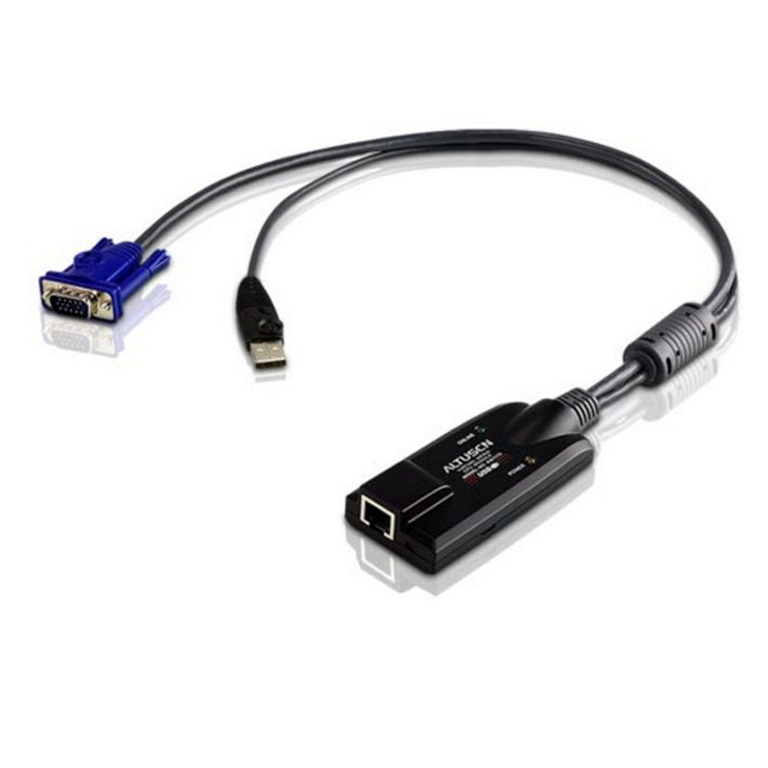
You've got the KVM switch. You've got the server. What you don't have is a clean, reliable link between the two that doesn't drop your video signal halfway down the rack. The ATEN KA7175 plugs into your KVM port and hands you a proper VGA and USB connection at the other end — no DIP switch guessing, no signal degradation on longer runs. Auto Signal Compensation handles the distance for you. Keyboard and mouse emulation keeps the server talking even when you pull the cable to relocate it to another port. Virtual Media is built in, so you can mount an ISO without walking over to the machine. Supports up to 1920 x 1200 (reduced blanking). PS/2 or USB — your call. Lifetime firmware upgrades from ATEN. If your switch sits on the KN, KNV, RCM, or KL series compatibility list, this is the adapter that goes in the back of it
| brand | ATEN |
| model | KA7175 |
| type | KVM Adapter Cable |
| connectors | RJ45 to VGA & USB |
| max_resolution | 1920 x 1200 (reduced blanking) |
| interface_options | PS/2, USB |
| virtual_media | 1 |
| signal_compensation | Auto Signal Compensation (ASC), no DIP switch required |
| firmware_upgrades | Lifetime |
| compatible_switches | KL1108V, KL1116V, KN1108VA, KN1116VA, KN1132V, KN2116A, KN2116VA, KN2124VA, KN2132VA, KN2140VA, KN2140v, KN4116VA, KN4124VA, KN4132, KN4132VA, KN4140VA, KN4164V, KN8132V, KN8164V, RCM416, RCM464V, RCM816, KN1108v, KN1116v, KN2116v, KN2124v, KN2132, KN2132v, KN4116, KN4116v, KN4124v, KN4132v, KN4140v |
| supported_os | Windows, Mac, Sun |
| category | KVM Cables & Adapters |