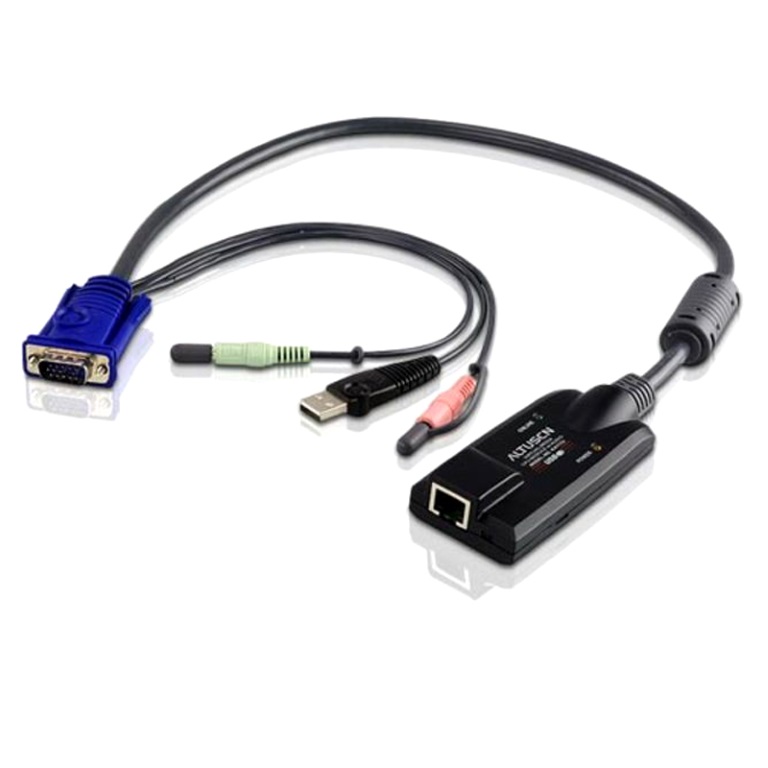
You've got the KVM switch rack-mounted and everything's tidy. Then you need that cable between the switch port and the back of the server, and suddenly it's three dongles, a dropped audio feed, and a resolution cap that makes your 27-inch monitor look like a 14-inch laptop screen.
The ATEN KA7176 plugs straight into the RJ45 KVM port on one end and hands you VGA video, USB keyboard/mouse, and audio on the other. One cable. No adapter chain. No DIP switch guessing at cable lengths.
Auto Signal Compensation handles the distance for you, so whether that server's two metres away or at the far end of the rack, the picture holds up to 1920 x 1200 (Reduced Blankings). Keyboard and mouse emulation keeps the machine responsive even if you unplug it from one KVM port and move it to another mid-session.
It speaks both PS/2 and USB, so legacy workstations and modern builds both play nice. Virtual Media support means you can push ISOs straight through without a separate USB stick shuffling between machines. Audio's wired in, not bolted on.
Fits the ATEN KN, KL, KM, RCM, and RCM-series switches listed below. Compact enough to tuck behind a panel without fighting the cable tie.
Compatible with: KL1108V, KL1116V, KM0532, KM0932, KN1108VA, KN1116VA, KN1132V, KN2116A, KN2116VA, KN2124VA, KN2132VA, KN2140VA, KN2140v, KN4116VA, KN4124VA, KN4132, KN4132VA, KN4140VA, KN4164V, KN8132V, KN8164V, RCM416, RCM464V, RCM816, KM0032, KN1108v, KN1116v, KN2116v, KN2124v, KN2132, KN2132v, KN4116, KN4116v, KN4124v, KN4132v, KN4140v
| brand | ATEN |
| model | KA7176 |
| connector_type | RJ45 to VGA |
| max_resolution | 1920 x 1200 (Reduced Blankings) |
| interface_support | PS/2, USB |
| audio | Yes |
| virtual_media | Yes |
| signal_compensation | Auto Signal Compensation (ASC) |
| keyboard_mouse_emulation | Yes |
| firmware_upgrades | Lifetime |
| category | KVM Cables & Adapters |