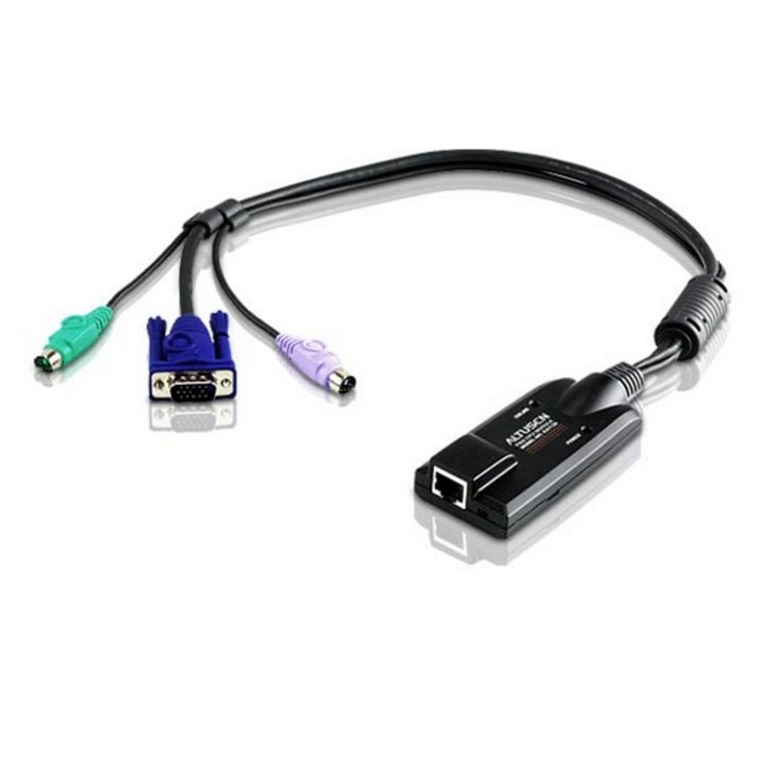
Your legacy server still speaks PS/2, and your KVM switch expects a clean signal across the rack. The KA7120 plugs straight into the video and PS/2 ports on the target machine — no DIP switch to guess at, no signal degradation at 50 metres. Auto Signal Compensation handles the distance for you. Keyboard and mouse emulation keeps the server stable when you swap it between KVM ports mid-session. Resolution tops out at 1920×1200 (Reduced blanking), which covers most console work without hunting for a longer cable. Built-in ASIC means fewer dropped frames and fewer 7am phone calls. Fits the KH, KL, KM, KN, and RCM series KVM switches listed below. If your cabinet's got a mix of old PS/2 boxes and newer gear, this is the adapter that makes them talk to each other without a tech on-site
| 0 | KH1508A |
| 1 | KH1508Ai |
| 2 | KH1516A |
| 3 | KH1516Ai |
| 4 | KH1532A |
| 5 | KH2508A |
| 6 | KH2516A |
| 7 | KL1108V |
| 8 | KL1116V |
| 9 | KL1508A |
| 10 | KL1508Ai |
| 11 | KL1516A |
| 12 | KL1516Ai |
| 13 | KM0532 |
| 14 | KM0932 |
| 15 | KN1108VA |
| 16 | KN1116VA |
| 17 | KN1132V |
| 18 | KN2116A |
| 19 | KN2116VA |
| 20 | KN2124VA |
| 21 | KN2132VA |
| 22 | KN2140VA |
| 23 | KN2140v |
| 24 | KN4116VA |
| 25 | KN4124VA |
| 26 | KN4132 |
| 27 | KN4132VA |
| 28 | KN4140VA |
| 29 | KN4164V |
| 30 | KN8132V |
| 31 | KN8164V |
| 32 | RCM416 |
| 33 | RCM464V |
| 34 | RCM816 |
| 35 | KM0032 |
| 36 | KN1108v |
| 37 | KN1116v |
| 38 | KN2116v |
| 39 | KN2124v |
| 40 | KN2132 |
| 41 | KN2132v |
| 42 | KN4116 |
| 43 | KN4116v |
| 44 | KN4124v |
| 45 | KN4132v |
| 46 | KN4140v |
| brand | ATEN |
| model | KA7120 |
| type | KVM Adapter Cable |
| connector_input | RJ45 |
| connector_output | VGA + PS/2 (mouse & keyboard) |
| max_resolution | 1920×1200 (Reduced blanking) |
| signal_compensation | Auto Signal Compensation (ASC) |
| keyboard_mouse_emulation | 1 |
| firmware_upgrades | Lifetime |
| asic | 1 |
| category | KVM Cables & Adapters |