
Your old laptop's drive is full of files you still need, but it's buried inside a machine that's either dead or too slow to boot. You don't want to hunt for a screwdriver, download a driver, or wait six days on a faceless marketplace delivery.
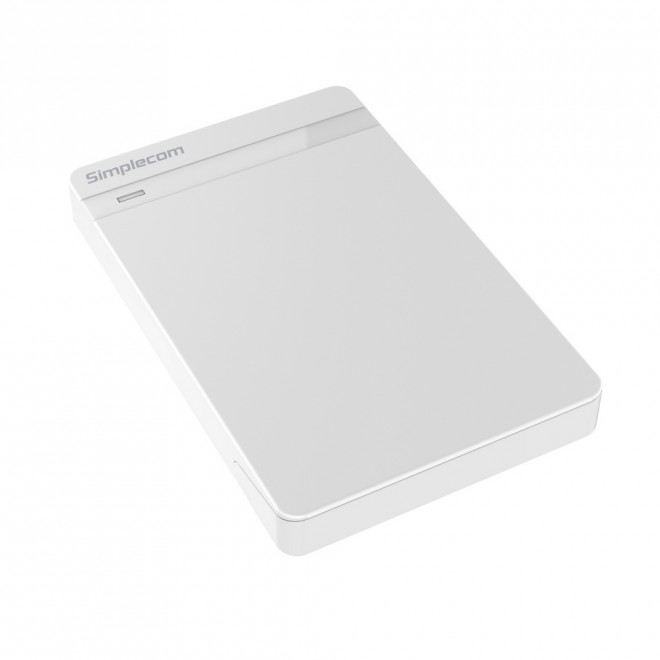
The Simplecom SE203 slots your 2.5" SATA HDD or SSD into a USB 3.0 enclosure in about three seconds. No tools. No screws. No reboot. Pop the drive in, lock the switch, plug it in – done.
You get USB 3.0 transfer speeds up to 5Gbps (10x faster than USB 2.0), a small LED that tells you whether you're running in 2.0 or 3.0 mode, and auto-sleep after ten minutes of idle so it's not drawing power on your desk all day.
Fits both 7mm and 9.5mm drives. Works with Windows XP through the latest, and macOS 9.1 upward. UASP support kicks in on Windows 8+ and macOS 10.8+ for snappier transfers.
Comes with the USB 3.0 cable, a foam pad to cushion the drive, and a user manual. The drive itself isn't included – this is the enclosure only.
In stock now. Add it to your cart
| brand | Simplecom |
| model | SE203 |
| colour | White |
| interface | USB 3.0 (backwards compatible USB 2.0) |
| max_transfer_speed | 5 Gbps |
| drive_compatibility | 2.5" SATA HDD or SSD, 7mm or 9.5mm thickness |
| dimensions | 125 x 78 x 13 mm |
| os_support | Windows XP and above (32-bit & 64-bit); macOS 9.1 and above |
| uasp_support | Windows 8+, macOS 10.8+ |
| auto_sleep | 10 minutes inactivity |
| in_the_box | SE203 enclosure, USB 3.0 cable, foam pad, user manual |


